
Verify a SkilD certificate by its ID.
Enter the certificate ID, and SkilD confirms the holder, the course, the completion date and the work that earned it. Free for employers, recruiters and background-verification agencies, with no account.
Earned a SkilD certificate? Share it with its link
Enter the certificate ID.
Every SkilD certificate carries an ID at the bottom right, in the format SKD-COURSE-YEAR-NNNN: the course code, the year of issue and the certificate number. SkilD confirms it in writing within one working day.
[STATE B · replaces the previous line once the lookup is live] The result shows here as soon as you press Check.
Your check is in.
SkilD confirms the ID in writing within one working day, to the email you gave.
- Holder [HOLDER_NAME]
- Course [COURSE_NAME]
- Cohort [COHORT]
- Completed [COMPLETION_DATE]
- Certificate [CERTIFICATE_TYPE]
- Project [PROJECT_TITLE]
- Status [STATUS]
[shown when an ID does not match] This ID did not match a certificate. Check each character against the certificate, or send it as it is and SkilD checks it by hand within one working day.
A SkilD certificate records work that was built and reviewed.
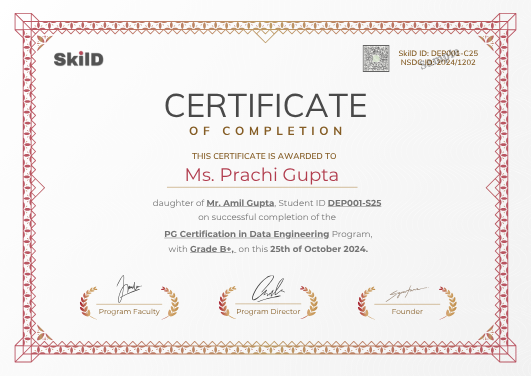
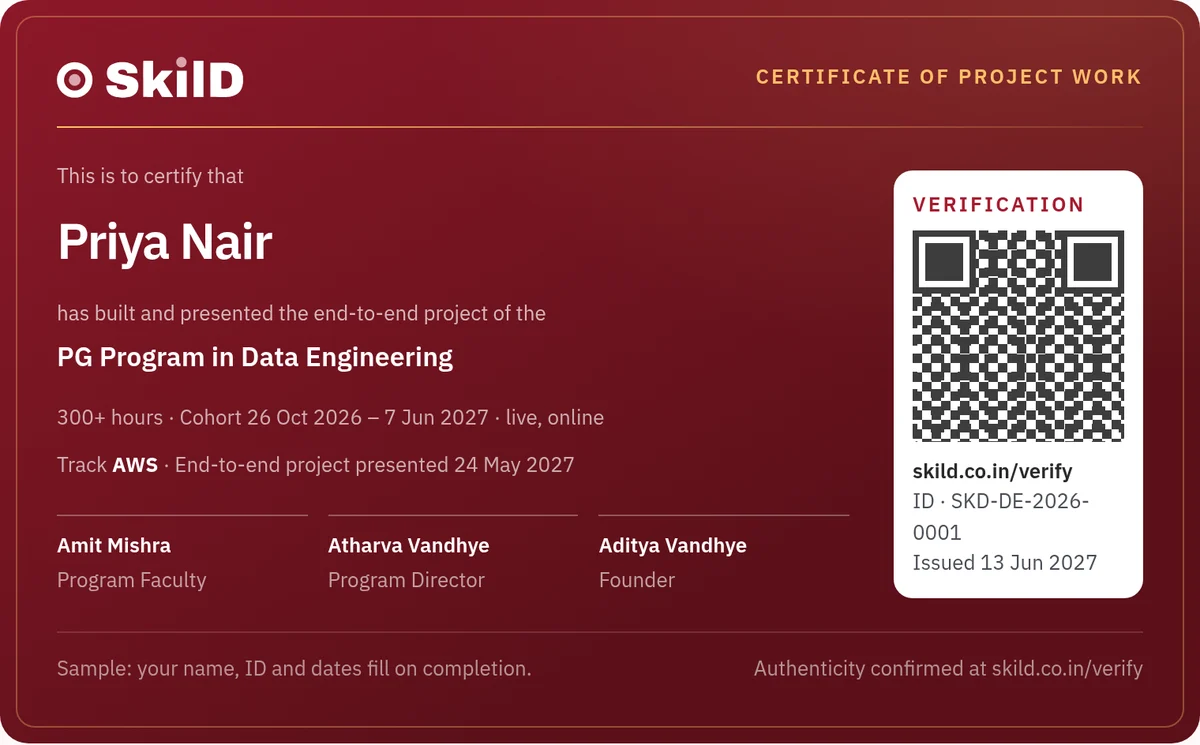
Every certificate names the work behind it.
- The projects each one submitted and reviewed, and listed on the course page
- The end-to-end project on a PG Program, presented live to a panel; on a course, the course project, reviewed by the expert who teaches it
- The live hours taught live by the industry expert who teaches the module
Awarded by SkilD, [issue window] after the cohort ends, once every required project is submitted and reviewed. What each certificate certifies, and the bar that earns it, is stated in full on enrolment.
For employers, verification agencies and the learners who earned it.
Employers and recruiters→ one ID at a time
Enter the ID in the check form. There is no fee and no account, and the answer comes straight from SkilD, without going through the candidate.
Background-verification agencies→ IDs in bulk
Send a list of IDs with the candidates' names, and SkilD confirms each one in writing within one working day, ready for the client's file. Or email the list to [verification email].
Learners→ a link to share
Every certificate has a permanent link and an Add to LinkedIn button, so an employer can open it straight from a profile.
- The ID is valid, and was issued by SkilD
- The holder's name
- The course, the cohort and the completion date
- The certificate type, and the project title
- Scores, submitted work and contact details
For a reference, ask the learner. Hiring data or AI talent? Meet a SkilD cohort at the end-to-end project stage. Plan it with us →
Checking several SkilD certificates? Send them together.
- Any number of IDs, one per line
- The candidate's name beside each
- A written confirmation for each, within one working day
Or email the list to [verification email].
SkilD certificate verification: your questions, answered.
How do I verify a SkilD certificate?
Enter the certificate ID at skild.co.in/verify/ with your name, mobile and email. SkilD confirms the holder, the course, the completion date and the certificate type, free and with no account.
Where is the ID on a SkilD certificate?
At the bottom right, in the format SKD-COURSE-YEAR-NNNN: the course code, the year of issue and the certificate number.
What if a SkilD certificate ID does not verify?
Send the ID as printed, with the name on the certificate, and SkilD checks it by hand and replies in writing within one working day. A typing slip in the ID is the usual cause.
Can a background-verification agency check SkilD certificates in bulk?
Yes. Send the IDs and the candidates' names on the bulk form, or email them to [verification email], and each one is confirmed in writing within one working day.
Is SkilD certificate verification free?
Yes, for anyone, with no account.
When is a SkilD certificate issued?
[issue window] after the cohort ends, once every required project is submitted and reviewed.
Can I add my SkilD certificate to LinkedIn?
Yes. Every certificate has a permanent link and an Add to LinkedIn button.
Every SkilD course certificate stands on work that runs.
Want one on your own profile? Pick Data Engineering, ML & AI or Applied AI. Build every week. Walk into your next role with work that runs.
Training a team instead? Plan a program for your team.
Data and AI openings on WhatsApp, and the hiring market twice a month.
The roles the companies our learners work at are hiring for, and the dates of the next free live build. Read three issues of the Brief and you’ll know whether we’re your kind of school.
You’re on the list.
The first alert lands the next time our network is hiring, and the next Brief lands in your email.